
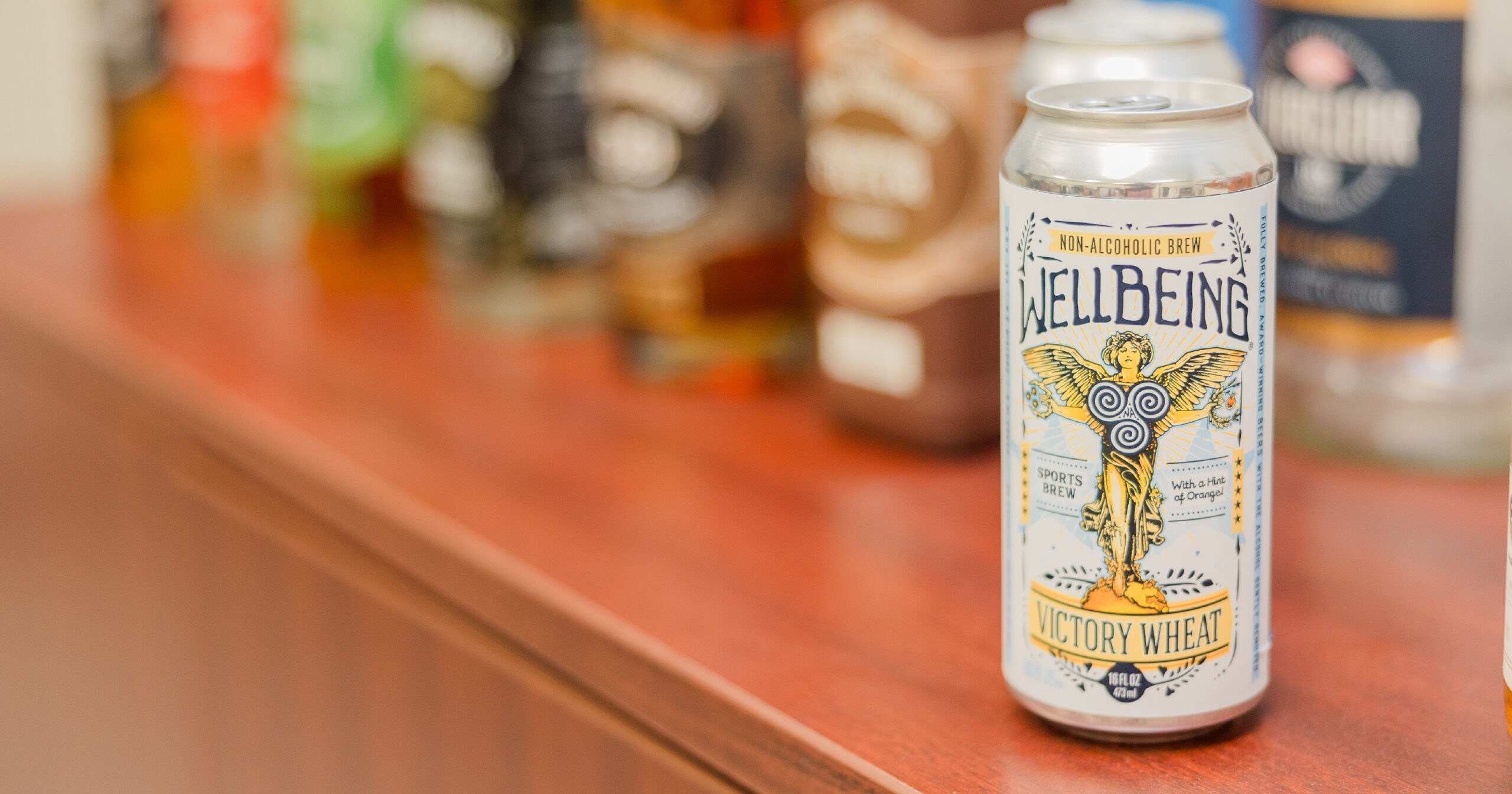
Shoppers are making decisions quickly. On crowded retail shelves, your product has a few seconds to tell the shopper who you are, what the product is, and why it’s the right choice. Color will get you noticed, while typography can help tell a story, and layout makes the decision an easy one to make. When these elements work together, shoppers can find the right product fast and feel good about putting it in their cart.
If that’s the goal, how do you get there? Let’s look at what makes the retail space so complex for label design, and how you can put color, typography, and layout to work selling your products.
Want more guidance on designing food labels for retail shelves? Connect with a Consultant→
Retail Shelving: A Reality Check
Before you start designing your labels, you have to know where your products are going to live. The retail space is often chaotic, both on the shelves and in the aisles themselves. You’ll want to take into consideration:
- Position on the shelf. Eye-level items can use finer details, but if your products live on the lower shelves, you’ll need bolder type and stronger contrast. If your products are kept behind glass, you’ll need to plan for glare and condensation.
- Lighting conditions. Grocery store lighting is bright and usually cool-toned. Glossy labels can reflect and wash out. Matte or soft-touch finishes reduce glare, while spot gloss can highlight key areas without turning the whole label into a mirror.
- Competitor color map. Take a photo of the set and blur it to see blocks of color. Where does the category clutter on a color map? If everyone is using blue and white, there’s an opening for a deeper base with a fresh accent color. Your goal is to stand apart while still feeling appropriate for the category.
A quick visit to the local grocery store with a camera and a notepad is the best thirty minutes you’ll spend this week.
Color Psychology: Choosing Hues to Get Noticed
Color isn’t decoration. For shoppers, it’s a cue. It sets expectations about the product before a shopper ever reads a word of the label. The colors you use on your labels send a message. For example:
- Red and oranges suggest appetite, warmth, and energy. They are great for bold flavors, comfort foods, and limited-time items. Keep the spacing generous so it reads as energetic instead of chaotic.
- Blues communicate refreshment, trust, and calm. If your product focuses on hydration or clean eating, blue hues are a suitable option. Add a warm accent color to the label so it doesn’t feel cold on the shelf.
- Greens cue fresh and natural. Great for plant-forward products. Light greens feel crisp while deeper greens feel more grounded. Pair them with neutrals so the label doesn’t start to read as hospital green.
- Blacks and deep jewel tones signal as premium. These are also good in the cooler sections as they’ll stand out against condensation and from behind glass. Just make sure small text and barcodes have enough contrast.
No matter how great your color choices are, they fail if your text disappears. Test your color choices at the final size under bright, cool lighting. Good contrast will make the label readable and your codes scannable, so adjust panel colors accordingly.
Build a Palette: Anchor + Accent + Neutral
To build a color palette for your product, you’ll want to choose:
- An anchor for recognition
- An accent to guide the eye
- A neutral to create breathing room
Use the accent consistently across SKUs so shoppers learn your system. For example, always use a red accent for strawberry flavors or gold strips for vanilla. These visual cues help shoppers identify the product they want quickly.
Typography That Sells (and Stays Readable)
Color sends the signal, but typography tells the story. Your text should be simple and easy to read from 3-6 feet away.
Your typography needs to follow a clear hierarchy. Think in four layers:
- Brand name: What shoppers will recognize first.
- Product identity: What the product is, such as “Greek Yoghurt” or “Sparkling Water.”
- Key benefit or flavor: Why the product is different, such as “High Protein” or “Mango Flavor.”
- Regulated info: Required statements, like net quantity and nutritional panel.
Give each layer a role and a size range so designers don’t have to guess. When it doubt, make the product identity and flavor more prominent than you’d think. This is the information people need to make a quick choice for their shopping cart.
Pick one workhorse font and then add character sparingly. Use a strong, readable font for most of the text, then the second font can add some of your brand’s personality. Limit yourself to two font families total, then get your variety from changing the weight, size, and spacing.
Remember, shoppers are reading your labels from a distance. Make sure the fonts you choose are easy to read from the middle of the aisle, and set minimum sizes for information panels.
If you are reviewing proofs on screen only, you’ll miss real-world issues. Print your labels at the final size and look at them from six feet away. That will give you the same experience your shoppers will have and help you identify problem areas.
Layout & Information Architecture for Effortless Decisions
A good layout guides the eye, even when shoppers are in a hurry or distracted. To give them the most information in the least amount of time, you’ll want to:
Use a Predictable Pattern
Most eyes scan in a Z pattern or in stacked zones. Place the brand and product identity where the first glance lands. Put the flavor or key benefit on a strong anchor point, such as a band or badge. Keep the nutrition and net content in predictable spots so the label reads as trustworthy.
Built Repeatable Structures Across SKUs
If you sell multiple flavors or variants, use the same layout and change the accent color and product photo. Shoppers learn your system and find their flavor fast. This also speeds up design and reduces mistakes.
Protect the Essentials
Leave quiet zones around barcodes and key icons. Don’t let tamper cuts, folds, or seams slice through codes. Keep small text off curves that distort letterforms. The most common delays at launch come from these avoidable mistakes.
Your Labels, Ready for Retail: How Systems Graphics Can Help
Need help fine-tuning color, hierarchy, or layout? We’re here to help with high-impact labels made right and made fast. Systems Graphics is a GMP-certified, FDA-aware flexographic label converter built for scale and consistency. We offer precision flexo printing, advanced materials selection, and options like peel-and-reveal and variable data for traceability. Paired with our rigorous quality controls, we keep launches on schedule and reorders consistent.
Ready to move from concept to shelf? Get a quote, and we’ll translate your approved design into production-ready files, run proofs on the actual material and finishes, and deliver labels that look great under store lighting. Get started by contacting our team today.